Music Player for Android: A Comprehensive Review
Screenshots
Introduction
Music Player for Android is a versatile audio player developed by Leopard V7, designed to enhance your music listening experience with its multitude of features. Currently at version 7.3.8, this app stands out for its ability to organize music files not just by artists or albums, but also through folder structures, making it easier to access your favorite tracks. With high-definition playback and a powerful equalizer, this app aims to deliver sound quality that is both rich and immersive. Whether you're a casual listener or a die-hard music aficionado, Music Player for Android offers an array of functionalities that cater to diverse audio needs.
Graphics & Gameplay
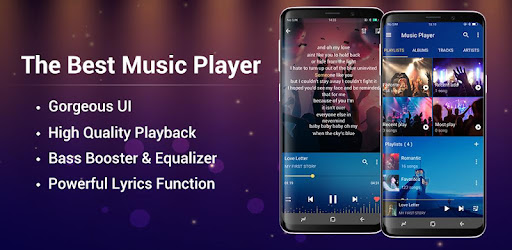
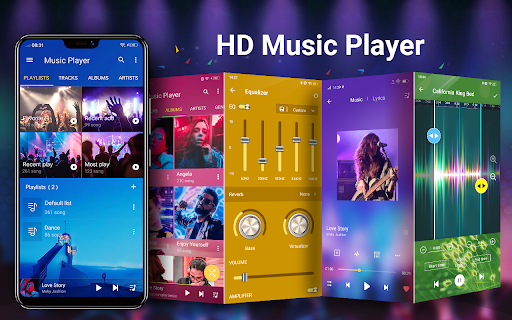
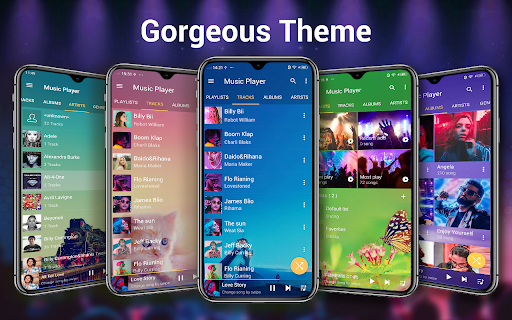
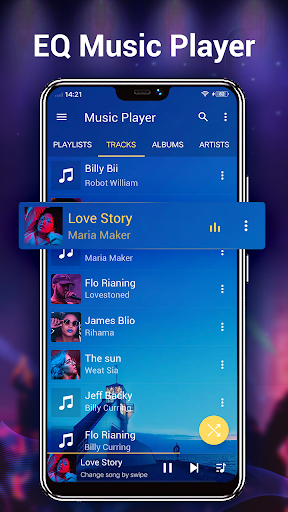
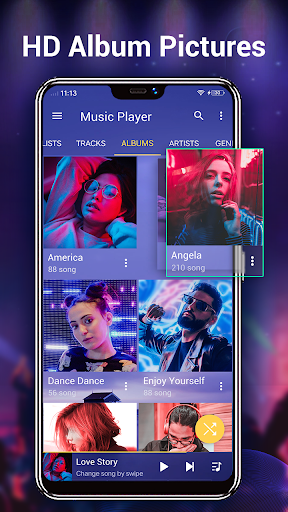
The visual appeal of Music Player for Android is one of its strongest aspects. The app features over 22 gorgeous background skins that allow users to customize the UI according to their personal taste. The screenshots provide a glimpse of its sleek design, showcasing a user-friendly interface that is both modern and intuitive. Users can easily navigate through their music library, thanks to well-organized categories such as albums, artists, and genres.
Moreover, the app supports three types of home screen widgets (4x1, 2x2, 4x1) that not only display album artwork but also provide control options for play, pause, and skipping tracks right from the home screen. The interface is complemented by vivid album artwork and artist pictures, which can be sourced from various places including the Internet, gallery app, and ID3 tags, enhancing the overall aesthetic experience while listening to music.
Key Features
- Comprehensive Music Library: Browse and play music by albums, artists, genres, songs, playlists, and album artists.
- High-Quality Decoding: Supports formats like mp3, mp4/m4a, wma, flac, and ape for top-notch sound quality.
- Smart Playlists: Automatically generate playlists for easy access to favorite and most played songs.
- Built-in Equalizer: A five-band equalizer with over 20 pre-set music tones, letting you fine-tune your audio experience.
- Lyric Support: Features lyric support to enhance your sing-along experience.
- Notification Status Support: Displays album artwork, title, and artist in the notification bar for convenient access.
- Customizable Album Artwork: Manually choose album artwork and artist pictures from various sources.
- Search Functionality: Quickly find all your music files and access online hot music videos.
- Ringtone Maker: Cut/edit music files to create custom ringtones.
Mod Features
- Premium Unlocked: Enjoy all premium features available without any additional cost, making the app even more versatile.
- No Ads: Experience uninterrupted music playback without any annoying advertisements.
- Unlimited Money: Gain access to unlimited resources, allowing for endless customization options and features.
- Enhanced Equalizer Settings: Access advanced equalizer settings that allow for even more detailed sound adjustments.
- Offline Mode: Play all music files without needing an internet connection, ensuring a seamless experience.
How to Install APK on Android
Installing the Music Player for Android APK is a straightforward process. Follow these steps to get started:
- Download the APK: Visit the official link provided to download the APK file.
- Enable Unknown Sources: Go to your device's Settings > Security > Unknown Sources and toggle it on to allow installations from sources other than the Google Play Store.
- Locate the APK: Use a file manager to navigate to the folder where the APK was downloaded.
- Install the APK: Tap on the APK file, and follow the on-screen instructions to complete the installation.
- Open the App: Once installed, you can find Music Player for Android in your app drawer. Open it and start enjoying your music!
Conclusion
Music Player for Android is a robust audio player that combines functionality with an appealing user interface. Its extensive features, including high-quality sound playback, customizable options, and advanced playback controls, make it an excellent choice for anyone looking to elevate their music listening experience. Whether you're a fan of organizing your music by folders or prefer a more conventional approach, this app has something for everyone.
Ready to enhance your audio experience? Download Music Player for Android now!