Mini Piano Lite: Your Pocket-Sized Musical Companion
Screenshots


Introduction
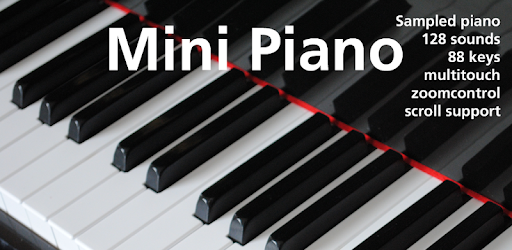
Mini Piano Lite is a versatile and highly responsive digital piano application designed for Android devices by Umito. This app offers an immersive piano-playing experience without compromising on performance or quality. With an optimized size for quick installation, Mini Piano Lite allows users to indulge in music creation on-the-go. The app features an extensive keyboard with 88 keys, a beautiful sampled piano sound, and 128 additional instruments, making it an ideal choice for both beginners and seasoned musicians alike. Whether you want to play chords, melodies, or simply practice, this app has you covered. Plus, with its minimalist design and Dark Mode support, it provides an unobtrusive yet elegant interface for a seamless music experience.
Graphics & Gameplay
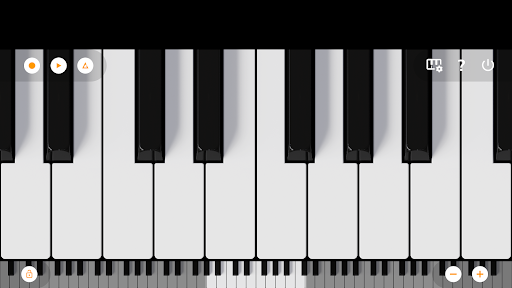
The visual presentation of Mini Piano Lite is sleek and modern, focusing on functionality without overwhelming the user. The main interface showcases a full, zoomable keyboard that spans 88 keys, allowing for easy navigation and playability. Users can effortlessly zoom in and out to fit the keyboard to their screen size, which is particularly useful for those using tablets or Chromebooks. The dark-themed interface is not only aesthetically pleasing but also easy on the eyes, especially in low-light conditions. The gameplay experience is enhanced by the app’s responsiveness; each key press is met with a satisfying sound that closely resembles a real piano. The inclusion of note labeling aids users in learning and practicing, while the option to transpose notes and utilize a metronome adds a layer of sophistication for those looking to refine their skills.
Key Features
- Fast and responsive virtual piano with realistic sound quality.
- Full 88-key keyboard that can be zoomed and scrolled for easy access.
- 128 additional MIDI instruments covering a wide range of sounds.
- Recording capabilities that allow users to save their compositions as MIDI files.
- Export recordings to various audio formats such as MP3, AAC, or WAV.
- Multitouch support to utilize all fingers for complex play.
- Transposition feature and tuning by Hz for fine adjustments.
- Integrated song mode with falling blocks to help users learn new songs.
- Minimal ad disruption with only a single banner ad displayed.
- Dark mode support for a comfortable playing experience in different lighting conditions.
Mod Features
For those looking to enhance their experience even further, here are some plausible mod features that could take Mini Piano Lite to the next level:
- Premium Unlocked: Access to all premium features without any additional payments, allowing users to enjoy expanded functionalities.
- No Ads: An ad-free experience, providing uninterrupted playtime and music creation.
- Unlimited Money: Ability to access and purchase various sound packs and instruments without any constraints, giving users the freedom to explore a wide range of sounds.
- Exclusive Instruments: Unlock additional unique instrument sounds that are otherwise not available in the free version, enriching the musical palette.
- Enhanced Recording Features: Advanced options for recording, including multiple tracks and effects, to produce high-quality music pieces.
How to Install APK on Android
Installing the Mini Piano Lite APK on your Android device is a straightforward process. Follow these simple steps:
- Ensure that your device allows installations from unknown sources. You can do this by going to Settings > Security and enabling Unknown Sources.
- Download the Mini Piano Lite APK file from a trusted source. You can find it at the following link: Download Mini Piano Lite APK.
- Once the download is complete, open the file from your notification bar or file manager.
- Follow the on-screen instructions to complete the installation.
- After installation, open the app from your app drawer and start playing!
Conclusion
Mini Piano Lite is a remarkable application that brings the joy of music to your fingertips. With its realistic sound, extensive features, and user-friendly design, it stands out as one of the best digital piano apps available on Android. Whether you are a beginner looking to learn or an experienced player wanting to refine your skills, Mini Piano Lite has something for everyone. Don’t miss out on the chance to explore your musical talents—download Mini Piano Lite today and embark on your musical journey!
Call To Action: Ready to bring music to life? Download Mini Piano Lite now!